Manage pipeline stages
A job’s Candidates tab shows its pipeline as a board, one column per stage. On a manual job the stages are yours: add one and move candidates between them. On a job from your ATS, the stages and who is in them come from the ATS.
Read the board#
Open a job from Jobs. It opens on the Candidates tab, as a Board (or switch to the Ranked list). Each column shows how many candidates are in it and their average score, and says which agent calls whoever enters it, or No call rule.
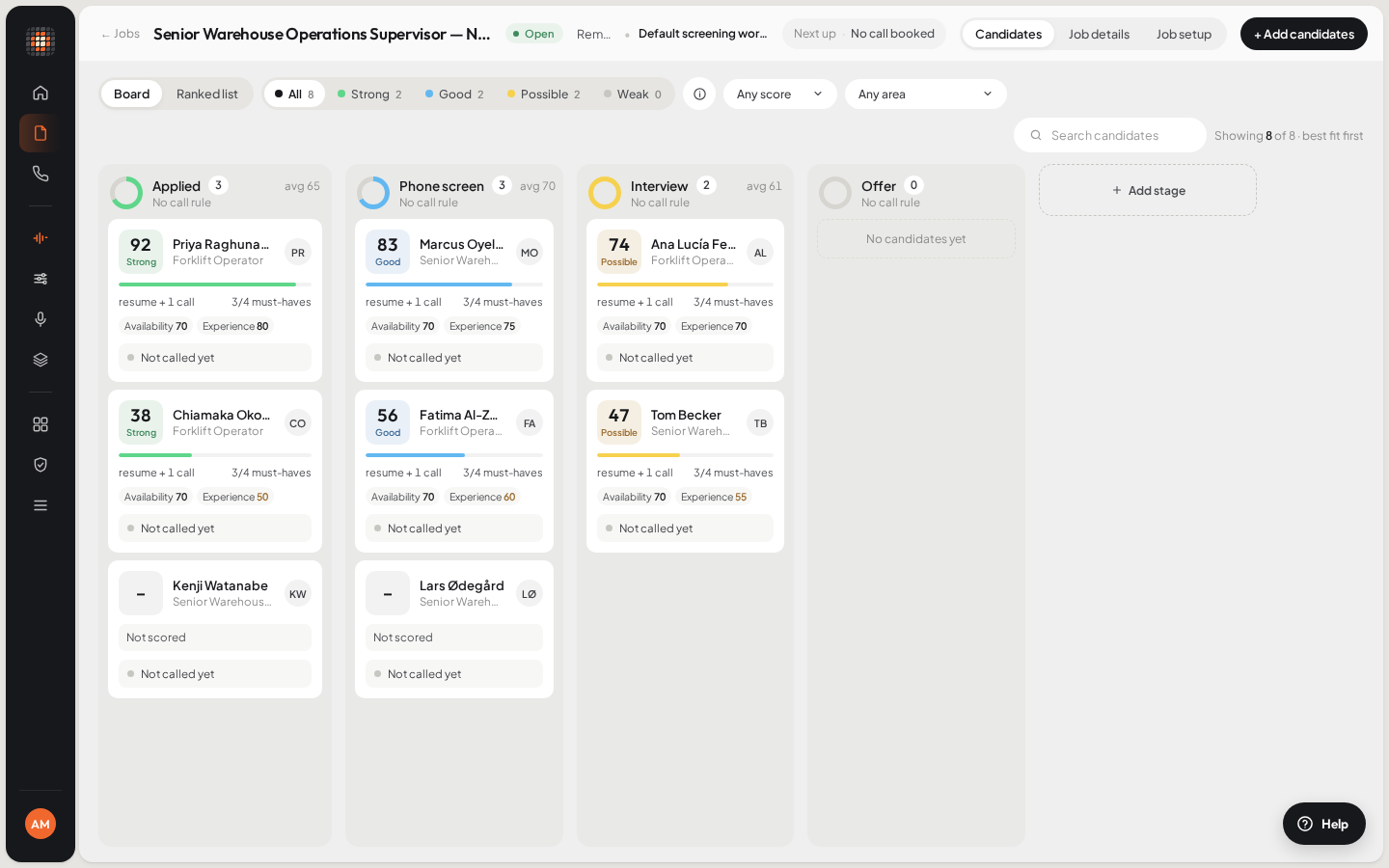
A job’s board: one column per stage, best fit first in each.
A new manual job starts with six stages: Applied, Screening, Interview, Offer, Hired and Rejected. Candidates added without a stage sit in a No stage yet column.
Add a stage to a manual job#
At the end of the board, click Add stage.
Type the Stage name and press Enter (Esc cancels).
ResultThe stage is added as the last column.
Two stages on a job can’t share a name.
Move a candidate#
On a manual job, either:
- Drag the candidate’s card to another column, or
- Open the candidate and click Move to with the next stage’s name.
A message confirms the move and says what happened next.
What a move sets off#
When the stage a candidate enters has an agent in the job’s workflow:
| The stage’s agent | What happens |
|---|---|
| A screening agent | Scout calls them. Outside calling hours, the call waits for the next opening and the message says when. |
| A video interview agent | Scout emails them the video interview link. |
| A reference check agent | Scout calls their references. |
| No agent | Nothing. The message says there’s no call rule on this stage. |
If the call can’t go out, the message says why, for example that the workflow has no phone number, the workspace is out of calling credit, or the candidate was already reached for this stage. See Calls aren’t going out.
- An archived job doesn’t call anyone.
- Before the first call, the job’s minimum resume match applies. See Who gets called.
Stages on jobs from your ATS#
An ATS job’s columns are the ATS’s own stages, and candidates appear in them as the ATS reports. Cards can’t be dragged and there’s no Add stage. Scout can’t move a candidate in your ATS: move them there, and when the next sync sees them enter a stage with an agent, Scout calls.
To see what Scout sends back to your ATS after a call, see ATS write-back.